Connect your Android phone to Calendo in just a few taps. Send free SMS appointment reminders
to your clients — no third-party fees, no monthly SMS costs.
What is Calendo SMS Gateway?
Calendo SMS Gateway is a free Android app made by HexaFlexa specifically for Calendo users.
Once installed on an Android phone with a SIM card, it lets Calendo send SMS appointment
reminders to your clients — automatically, using your own mobile plan.
Setup takes only a few minutes and requires nothing more than your existing Calendo account.
One-tap connection — sign in with your Calendo account and you're done.
No extra cost — SMS messages are sent through your normal mobile plan.
Works on Android 8.0+
Tip: A spare Android phone that stays plugged in works perfectly. It just needs
a SIM card and an internet connection (Wi-Fi is fine for the connection; mobile data is used only
to send SMS).
1
Install the app
Installation steps
Download the APK using the button below.
Allow your device to install apps from unknown sources when prompted: go to
Settings → Security (or Privacy on newer devices) and
enable Install unknown apps.
Open the downloaded APK and follow the on-screen prompts to install.
Grant the requested permissions when the app opens:
Android 15+ users: If Google Play Protect blocks the installation, temporarily
disable it: open Google Play Store → Profile → Play Protect → Settings and turn
off Scan apps with Play Protect. Re-enable it after installation.
2
Connect to Calendo
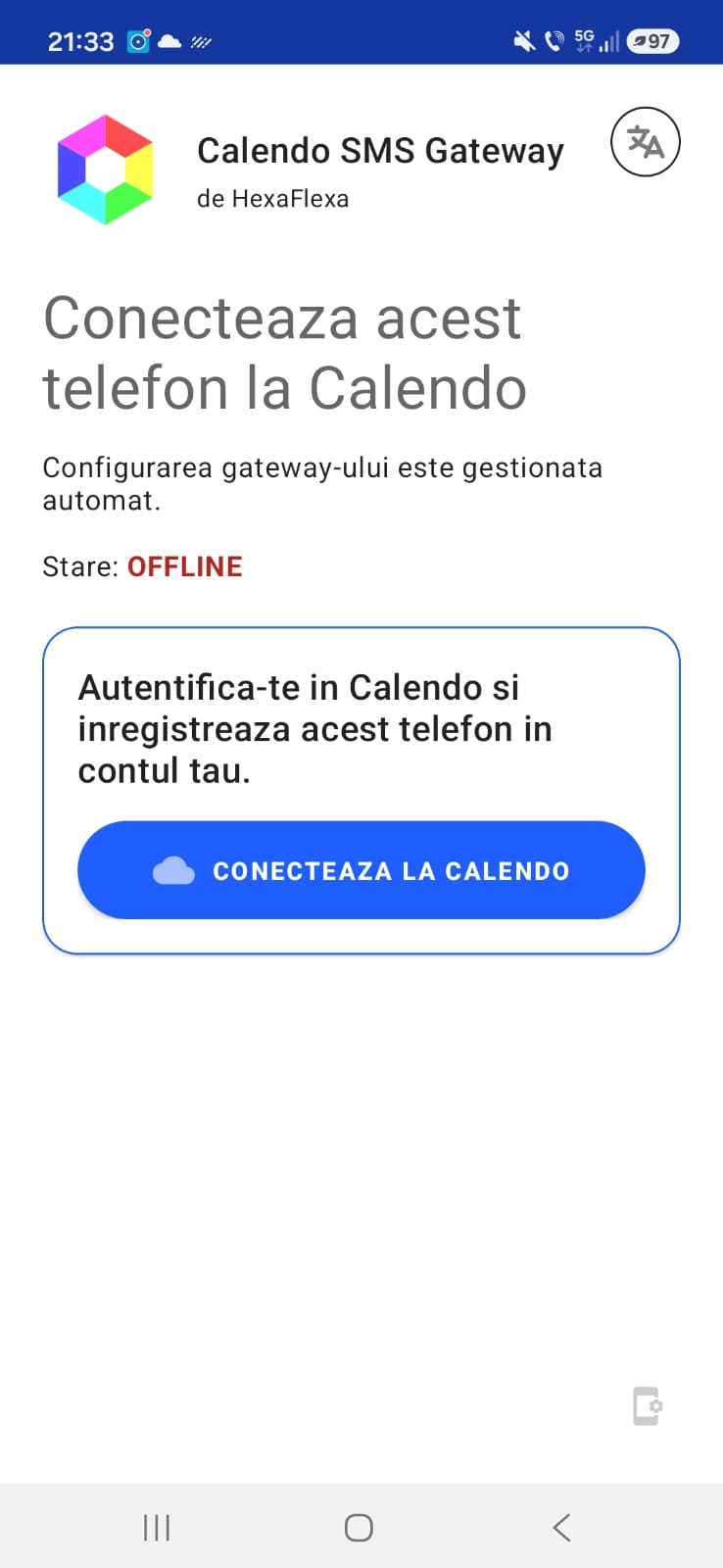
Start the Calendo SMS Gateway app. On the main screen tap the CONNECT TO CALENDO button. A secure login screen will open in your browser.
Calendo SMS Gateway main screen — tap "CONNECT TO CALENDO"
3
Log in with your Calendo account
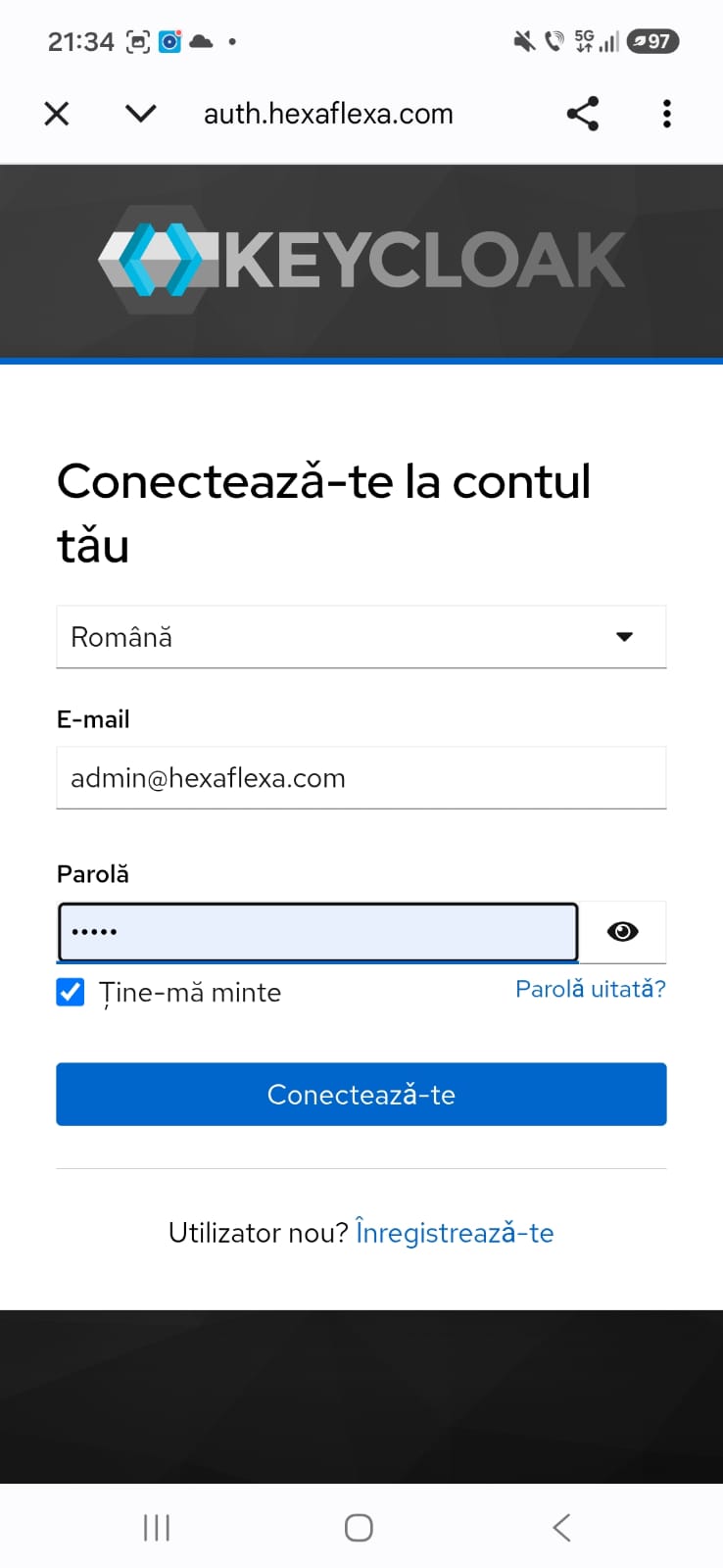
The browser will open the Calendo login page. Enter the same email and password you use to log in to Calendo.
After a successful login the browser will close and the app will automatically register this
phone with your Calendo account.
Log in with your Calendo email and password
Tip: If you have multiple Calendo accounts, make sure you log in with the correct
one — the phone will be linked to whichever account you authenticate with.
4
Done — your phone is connected
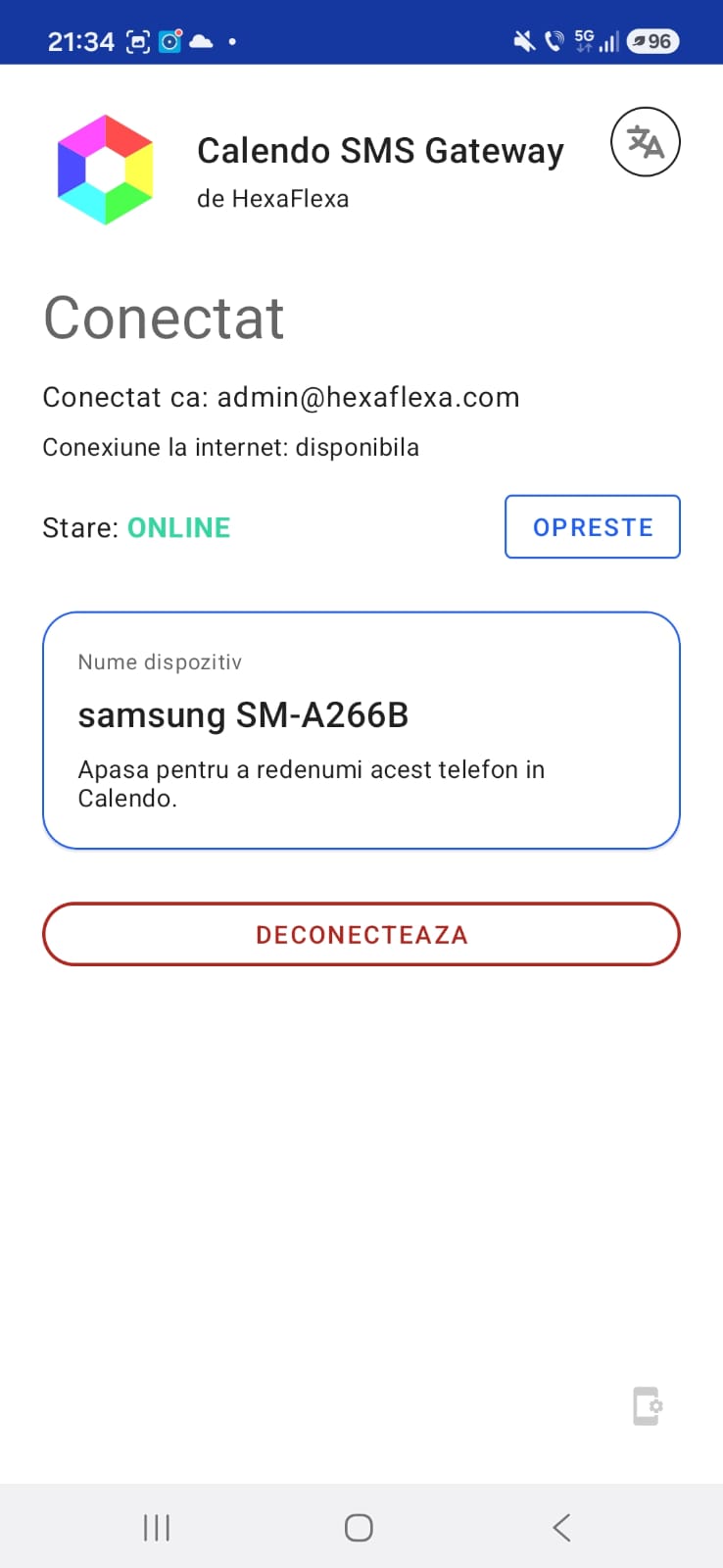
Once logged in, the app shows your status as ONLINE and displays the device name. Your phone is
now registered and Calendo will use it to send SMS reminders automatically.
ONLINE — Everything is working. Calendo will send SMS reminders through this phone.
The device name shown in the app is the same name that appears in Calendo's SMS Gateway settings. Tap it to rename the device.
Status ONLINE — phone is connected and ready
In Calendo: Go to Admin → Business → Settings → Notifications to
see the connected device and enable SMS reminders for your appointments.
Tips & Troubleshooting
Keep Calendo SMS Gateway running
Android's battery optimization can stop background apps. To keep Calendo SMS Gateway running,
go to Settings → Battery → Battery optimization, find Calendo SMS Gateway
in the list, and set it to Not optimized (or Unrestricted on some devices).
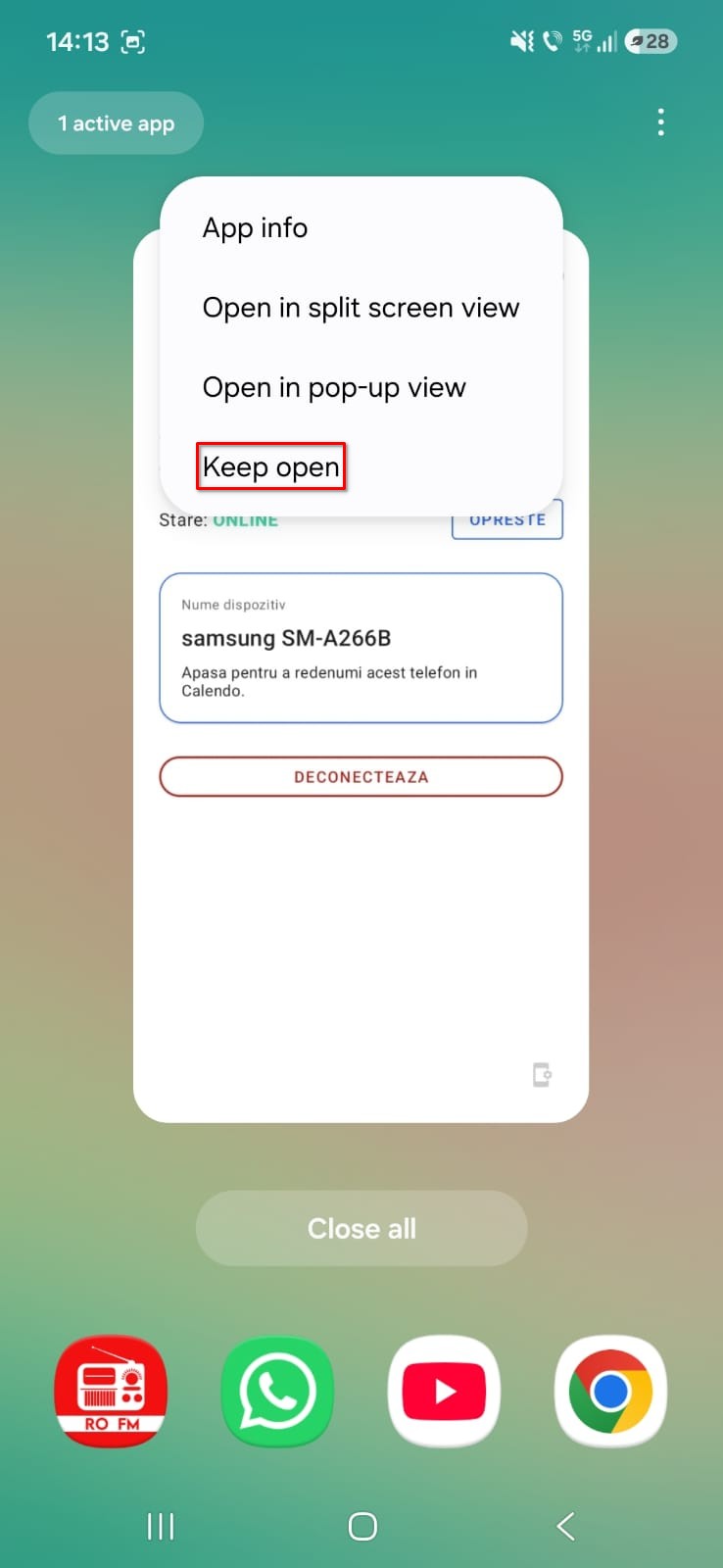
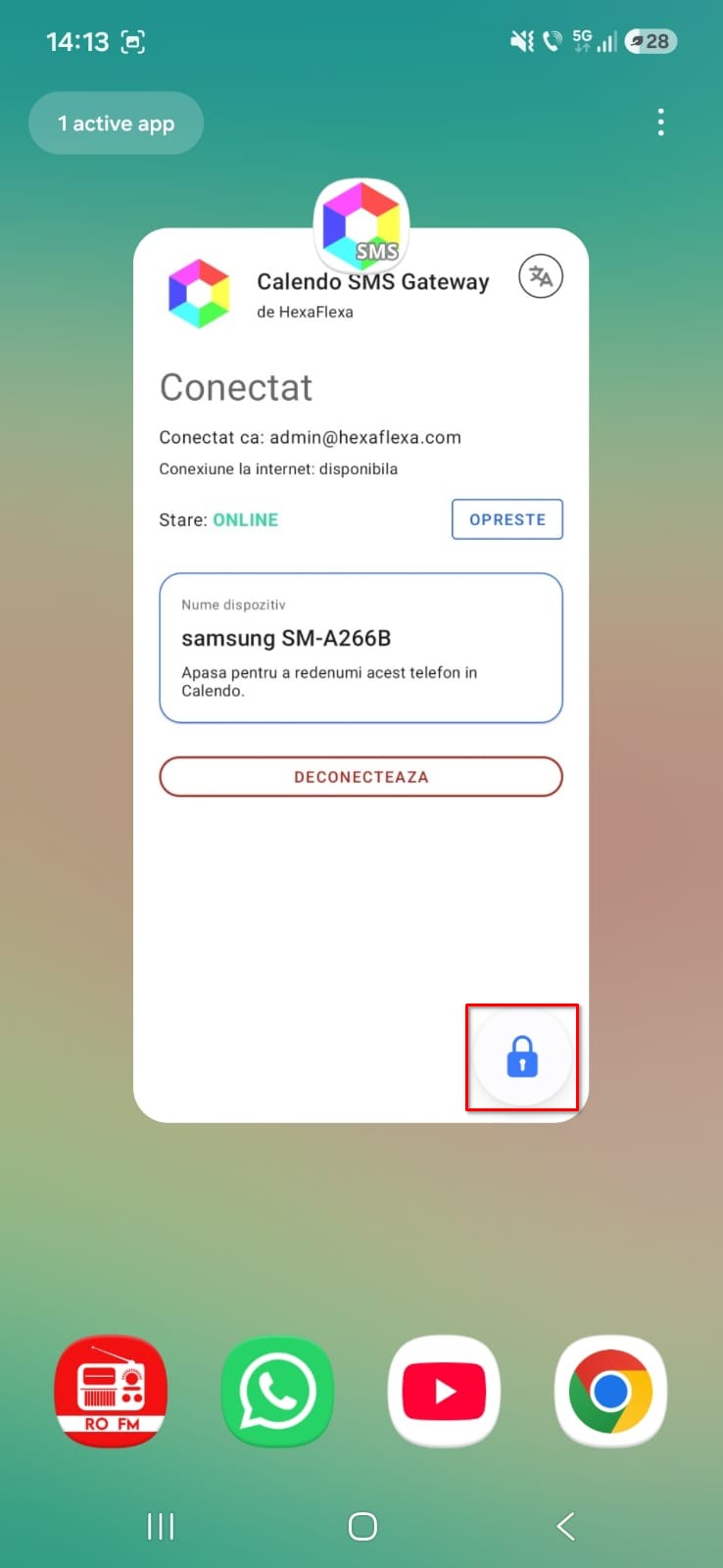
Pin the app to keep it always open
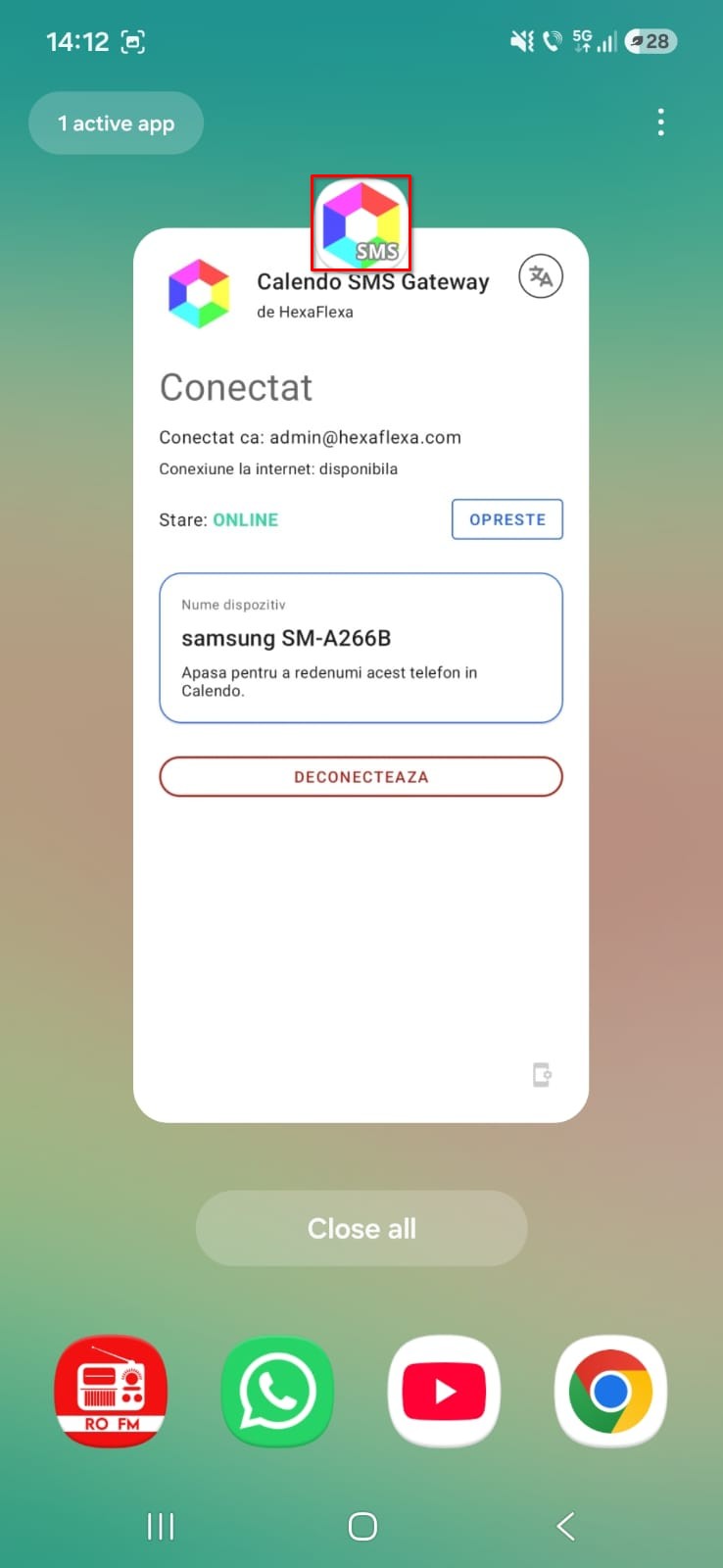
On most Android devices you can also lock the app in the Recent Apps screen to
prevent the system from closing it. Open the Recent Apps view (swipe up and hold, or tap the
square/recent button), find Calendo SMS Gateway, then tap the app's
icon at the top of the card and select Lock (or
Pin on some devices). Locked apps are skipped when you clear all recent apps.
Open Recent Apps and find Calendo SMS GatewayTap the icon at the top and select "Keep open"App is pinned — it stays open even when clearing all apps
Status shows OFFLINE?
Make sure the phone has an active internet connection.
Re-open the app — it reconnects automatically on launch.
Check that battery optimization is disabled for the app (see above).
If the problem persists, tap Disconnect, then connect again.
Dual SIM phones
If your phone has two SIM cards, you can choose which one is used for sending SMS. Open the app,
go to Settings, and select your preferred SIM.
Using multiple phones
You can connect more than one Android phone to the same Calendo account. Each phone appears as a
separate device in Calendo's SMS Gateway settings. This is useful for backup or if you have
multiple businesses, as you can use a different device for each business.
Messages not being sent?
Confirm the app status is ONLINE.
Confirm the phone has an active internet connection.
Make sure your mobile plan allows outgoing SMS messages.
In Calendo, verify that the correct device is selected and SMS reminders are enabled.